Claude Code Best Practices: The Field Guide
Cal Rueb's field-tested playbook for getting consistently great results from Claude Code: context curation, permission strategy, planning, parallel sessions and knowing when to course-correct.
This lesson is original educational writing based on this video by Anthropic (published May 22, 2025). All credit for the original content goes to the creators.
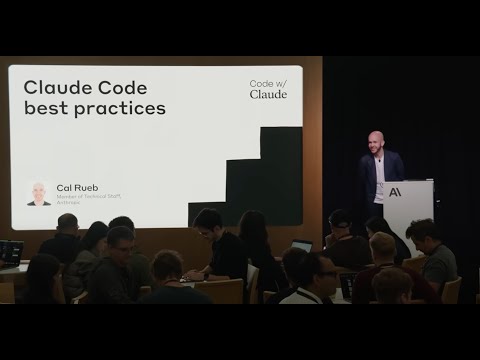
1. Where Claude Code actually earns its keep
Cal Rueb (Anthropic technical staff) opens with use-case selection, because the biggest practice mistake isn’t a missing flag — it’s pointing the tool at the wrong work. The standout use cases:
- Onboarding and discovery. Claude Code is “the coworker who already knows the repo”: locate features, read git history, untangle legacy code, answer “why is this like this?”.
- The boring middle. Refactors, test backfills, migrations, lint cleanups — high-volume work with clear success criteria.
- First drafts of new features, with you reviewing as the architect rather than typing as the implementer.
The common thread: tasks where verification is cheaper than creation. If checking the work takes longer than doing it yourself, reshape the task first (smaller scope, clearer success criteria) before delegating it.
2. Context is a budget — spend it deliberately
The talk’s core mental model: the context window is a finite budget, and everything competes for it — your CLAUDE.md, file contents, tool outputs, conversation history. Practices that follow:
- CLAUDE.md is a prompt, not documentation. Every line rides along on every message. Keep commands, conventions and gotchas; delete anything Claude can discover itself. Review it like code — stale instructions actively hurt.
/clearbetween unrelated tasks. Old task history pollutes new tasks. Cal’s habit: finish, commit,/clear, next task. Use/compactinstead when you need continuity but the window is filling — it summarizes the conversation and reclaims space.- Point, don’t paste. Reference files with tab-completion and let Claude read what it needs; pasting walls of code spends budget on things Claude could fetch selectively.
3. The working rhythm: explore → plan → code → commit
For anything beyond a one-liner, the recommended loop:
- Explore — have Claude read the relevant code first: “Read the auth module and summarize how sessions work. Don’t change anything yet.”
- Plan — ask for a concrete plan; for hard problems add thinking budget (
think,think hard,ultrathink). Review it. This is the cheap place to be wrong. - Code — implement step by step, with verification (tests, type checks) running as it goes.
- Commit — let Claude write the commit message (it just watched every change), then
/clear.
Two practices wrap around this rhythm:
Course-correct early. Escape interrupts; double-Escape rewinds history so you can edit
your earlier prompt. Treat the first 30 seconds of any run as a steering window — redirecting
then costs nothing; reviewing a confidently wrong 400-line diff costs your afternoon.
Parallelize what’s independent. Heavy users run 2–4 Claude instances: separate terminal tabs
for separate concerns, or git worktrees for truly parallel feature work
(git worktree add ../proj-feature -b feature), each with its own session. One instance writes
code while another reviews it — an adversarial pairing that catches what the author-instance is
blind to. With Claude 4 models reasoning between tool calls, each instance recovers from dead
ends on its own; your job shifts to routing work between them.
Check your understanding
4 questions · your answers are saved in this browser only
-
1. According to the talk, which task should you NOT hand to Claude Code as-is?
-
2. Why run /clear between unrelated tasks?
-
3. What is the cheapest moment to fix a misunderstanding in the explore → plan → code → commit rhythm?
-
4. What do git worktrees give you in a Claude Code workflow?
Build it yourself
Follow these exact steps to reproduce it yourself · estimated time: ~30 minutes
Prerequisites
- Claude Code installed and authenticated (see the Mastering Claude Code lesson)
- A real project with tests
Turn the talk into your default setup: a context-budget audit plus a parallel-session workflow.
Step 1 — Audit your CLAUDE.md like a prompt
cd your-project && claudeRead CLAUDE.md. For each line, classify it: (a) something you could have
discovered yourself, (b) stale/wrong, (c) genuinely needed. Propose a
shorter version containing only (c).Apply the cut. Most CLAUDE.md files shrink by half — that’s reclaimed budget on every message.
Step 2 — Practice the rhythm on a real task
Explore: read the code involved in <small real task>. Don't change anything.
Summarize what you found.
Plan: think hard and propose a step-by-step plan with the files you'll touch
and how we'll verify each step.Then: Implement step 1. After it verifies, let Claude commit, and /clear.
Step 3 — Set up parallel worktrees
git worktree add ../$(basename $PWD)-review -b review-session
# Terminal tab 1 (implementer):
claude
# Terminal tab 2 (reviewer), in ../<project>-review:
claude
Have tab 1 implement a small change and commit it. Then in tab 2:
Review the latest commit on branch <branch> like a skeptical senior engineer:
correctness, missed edge cases, simpler alternatives.
Expected result: the reviewer instance finds at least something the implementer missed — it has no attachment to the code’s history, which is exactly the point. Keep the pairing for any change you’d normally want a second opinion on.
Step 4 — Make course-correction muscle memory
On your next run, deliberately interrupt with Escape within the first 30 seconds and refine
your prompt with double-Escape. Do it three times this week; the habit pays for itself the
first time Claude heads down a wrong path with conviction.
Where to go next
- Watch Cal Rueb’s original talk for the live demos.
- Pair this with Mastering Claude Code (the feature tour) — the two talks are designed to overlap.
- Then see where this leads at scale in Vibe Coding in Prod.