Claude Cowork and Plugins: Helping Enterprises Move Faster
See how a fictional company uses Claude, Cowork, and Claude-powered products across several teams to respond to market challenges substantially faster than before. Demonstrates Cowork and Plugins integration.
This lesson is original educational writing based on this video by Anthropic (published February 24, 2026). All credit for the original content goes to the creators.
1. The architecture: Cowork plus Plugins
Claude Cowork gives any individual the ability to direct Claude with their voice or keyboard while Claude operates their computer — browsing the web, opening applications, running code, drafting documents. That capability is powerful on its own. But in an enterprise context, individual power is not the bottleneck. The bottleneck is coordination: making sure that every team’s AI capabilities reflect the company’s data sources, tone, processes, and compliance requirements, without asking each team to configure everything from scratch.
Plugins solve that coordination problem. A Plugin is a packaged extension that adds specialized tools, pre-built prompts, and data integrations to Claude’s capabilities inside Cowork. An employee who installs the Finance Plugin does not need to tell Claude how to connect to Bloomberg, how to format a scenario analysis, or which regulatory caveats to include — that knowledge is already encoded in the plugin. They simply ask Claude to run the analysis, and the plugin supplies the machinery to do it correctly.
The result is a two-layer architecture. The first layer is Claude’s general reasoning and computer-use capabilities, available to everyone through Cowork. The second layer is the Plugin, which specializes those capabilities for a particular team’s context. Finance, Sales, Engineering, and Marketing all use the same underlying Claude, but each team sees a version of Claude that already understands their tools, their data, and their workflows. This separation is important: it means Anthropic maintains the core capability while enterprises maintain the domain knowledge, and neither has to duplicate the other’s work.
2. How plugins extend Claude in practice
Understanding what a Plugin actually contains helps clarify why this architecture is faster than asking each team to configure Claude themselves. A Plugin is not just a collection of API keys or a set of bookmarked URLs. It is a layered package of three things: specialized system prompts, tool integrations, and pre-validated output templates.
The specialized system prompt is the most important component. When a Finance team member opens Cowork with the Finance Plugin active, Claude’s system prompt already includes knowledge of the firm’s financial models, the relevant regulatory frameworks, the correct way to express uncertainty in an investment context, and the standard format for scenario analyses. The team member does not have to explain any of that. They simply say “run a scenario analysis for a 200bps rate cut on our fixed income portfolio” and Claude has the context to do it correctly.
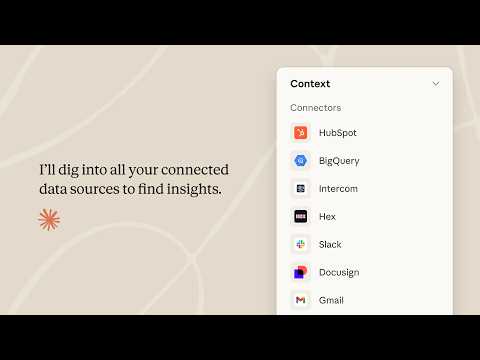
Tool integrations are the second layer. A Finance Plugin might authorize Claude to connect to Bloomberg Terminal, pull data from an internal risk system, and write results to the firm’s standard Excel template. A Sales Plugin might give Claude read access to Salesforce, the ability to pull contact history, and a direct line to the email platform for sending outreach. These integrations are pre-approved by IT, scoped to the data each team legitimately needs, and do not require individual users to authenticate separately.
Pre-validated output templates are the third layer. For regulated industries or brand-sensitive teams, the form of an output matters as much as its content. A compliance-approved output template for a financial analysis ensures that every analysis includes the required disclaimers, cites its sources, and flags any figures derived from estimates rather than actuals. This is not something individual users should have to remember to add — it should be baked into the Plugin so it happens automatically every time.
3. Four teams, one platform
To make this concrete, consider a fictional mid-sized investment and advisory firm facing a sudden shift in market conditions that requires a rapid response across multiple departments simultaneously.
The Finance team needs to run scenario analyses on their portfolio under three different interest rate environments. Before Cowork and the Finance Plugin, this took two analysts three days: pulling data from Bloomberg manually, running models in Excel, and formatting results into a presentation. With the Plugin active, one analyst asks Claude to run all three scenarios, specifying the parameters in a single prompt. Claude pulls the Bloomberg data, runs the models against the firm’s standard templates, and drafts a slide-ready summary. The same work takes a few hours. The analysts spend the time they saved reviewing and pressure-testing the outputs rather than producing them.
The Sales team needs to reach out to fifty high-priority accounts with context-relevant messaging about how the market shift affects each client’s situation. Before, this meant a sales rep spending an hour per account pulling CRM history, reading recent notes, and drafting a personalized email. With the CRM Plugin, Claude reads the account history for all fifty accounts, identifies the three most relevant recent interactions for each, and drafts a personalized email for each one. The rep reviews and sends. The work that took a week takes an afternoon.
The Engineering team does not need a specialized Plugin for this scenario — Cowork’s computer-use capabilities are sufficient for their workflow. When a spike in error rates appears following a rapid deployment, the on-call engineer asks Claude to pull the relevant logs from the monitoring dashboard, diff the deployment against the previous version, identify the files most likely to have caused the regression, and draft a postmortem template. Claude navigates the monitoring tools the engineer already uses, so no special integration is required. The incident is diagnosed and documented in under an hour.
The Marketing team needs to update campaign messaging to reflect the firm’s position on the market shift. Their challenge is not speed — it is consistency. With six people working on messaging simultaneously, brand drift is a real risk. The Brand Plugin solves this by giving Claude access to the firm’s messaging guidelines, approved vocabulary, and tone-of-voice documentation. Every piece of copy drafted with the Plugin active is checked against those guidelines automatically. The team produces a week’s worth of campaign materials in a single afternoon without a single messaging review cycle.
4. Enterprise deployment and access controls
From an IT administrator’s perspective, the Cowork and Plugins architecture offers something individual AI tools do not: centralized governance. When employees use standalone AI tools without IT involvement, the organization loses visibility into what data is being shared, what outputs are being produced, and whether AI-generated work is meeting compliance requirements. Cowork and centrally-managed Plugins bring AI usage back into the governed perimeter.
IT admins deploy Plugins from the Cowork admin console by connecting the Plugin to the firm’s identity provider. The right Plugin appears automatically for the right employee based on their team and role — a Sales rep gets the CRM Plugin, a Finance analyst gets the Bloomberg Plugin, a compliance officer gets the regulatory monitoring Plugin. No employee has to search for, download, or configure a Plugin manually. This removes the variation that leads to inconsistency: every Sales rep is working with the same CRM Plugin, the same prompt templates, and the same output formats.
Access controls are set at the Plugin level, not the user level. The Finance Plugin is authorized to access Bloomberg and the internal risk system; it is not authorized to access the HR system or the CRM. This scoping is enforced by the Plugin itself, not by trusting individual users to stay in their lane. Usage logs record which employee used which Plugin, what tasks were run, and what outputs were produced — giving compliance officers the audit trail they need without requiring manual documentation.
Check your understanding
5 questions · your answers are saved in this browser only
-
1. What is the primary problem that Plugins solve in the Cowork architecture?
-
2. Which of the following is NOT one of the three layers that a Plugin contains?
-
3. In the fictional firm walkthrough, which team used Cowork WITHOUT a specialized Plugin?
-
4. How are Plugins deployed to employees in an enterprise setting?
-
5. What is the key competitive advantage of having multiple teams use Cowork and Plugins on a shared platform, compared to each individual using a standalone AI tool?
Build it yourself
Follow these exact steps to reproduce it yourself
- Choose one team to pilot — Sales or Finance typically show the fastest ROI
- Interview two or three team members to document the top three most time-consuming recurring tasks
- For each task, list the data sources needed (CRM, spreadsheet, external URL), the required output format, and any compliance or brand constraints
- Identify which data sources require IT authorization and submit access requests with business justification
- Draft the system prompt that will become the Plugin’s core: include domain knowledge, output format requirements, and any mandatory disclaimers
- Build and test the Plugin against the three identified tasks, comparing output quality and time-to-complete with the previous manual process
- Document what the Plugin does and does not access, for the IT audit trail
- Roll out to the full team and schedule a two-week retrospective to collect feedback and refine the prompt
- After a successful pilot, use the same process to build Plugins for the next team